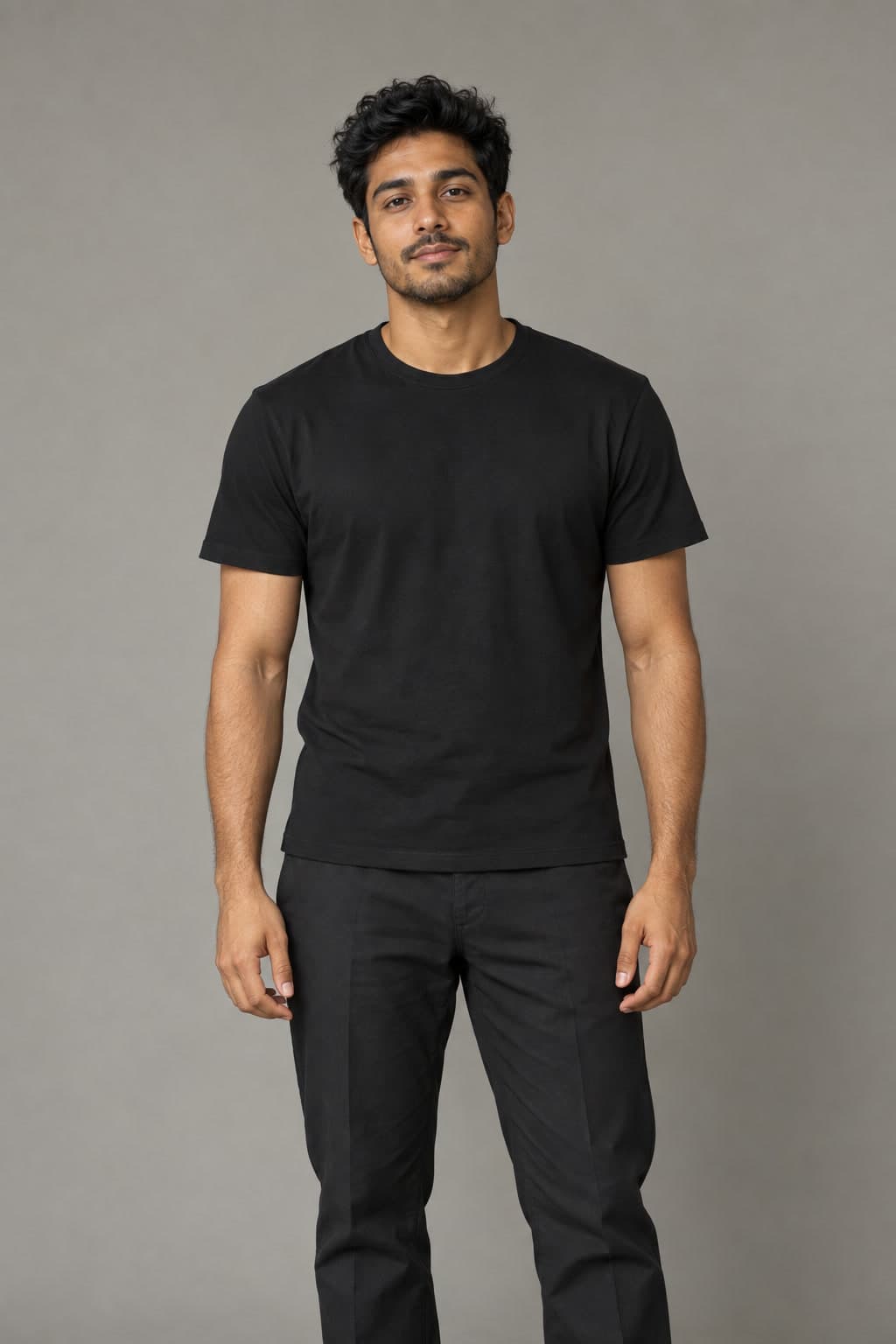
RapDuo's Bécane AI generator makes a short singing video from one portrait. Your performer appears at a vintage microphone in a warm studio, with expressive movement and newly generated vocals and music. Upload a photo, choose your video settings and generate. The scene is prepared for you.
Updated
Turn one photo into a solo singing video
Bécane AI is a solo studio-performance format associated with Yamê's song. Facial expression, gestures and musical energy stand out against a simple backdrop. RapDuo gives your portrait a warm studio setting and a vintage microphone.
Choose Bécane for a personal solo moment. For a pair, Hotel Lobby offers a shared recording-room performance and Raindance takes your duet outdoors.
Make your selfie sing at a microphone in a colorful studio
The Bécane sample shows a solo performance against an orange studio backdrop, with a hanging microphone framing the face. The studio and musical performance are created around your portrait; you do not need to photograph yourself in a recording booth.
In Personal details, give the take one purpose: a greeting for someone, a little celebration or a mood you want to convey. Judge the result as a studio performance: facial expression, posture and gestures should work together with the singing. Watch with sound to decide whether the delivery suits the person and occasion you chose.
Start with one clear portrait
Upload a clear JPG, PNG or WebP up to 10 MB. Use the original photo with good light and a visible face.
- Upload a photo with exactly one person. A group photo makes the intended solo performer unclear.
- Keep eyes, mouth and hair visible in even light. Avoid a phone covering the face, dark sunglasses and strong beauty filters.
- A comfortable upper-body view gives more reference for clothing and gestures. Keep visible hands natural and unobstructed.
Create your studio performance
Choose 5, 8, 10, 12 or 15 seconds and a 9:16, 1:1 or 16:9 frame. Standard, Fast and Pro currently offer 720p; Ultra offers 480p or 720p. The generator shows the credit cost for your settings before you confirm.
Add the performer
Upload one authorized portrait in the creator above. This page starts with the Bécane solo effect selected.
Choose the final frame
Choose duration, model, available resolution and aspect ratio. Think about where the microphone, face and gestures will sit on the screen you plan to use.
Confirm the render
Sign in and review the credit cost before generating. Your account keeps the generation status and completed download together.
Start with an 8-second singing clip
These are the settings used for the real sample above. Play it with sound and compare the performer with the source portrait shown on this page before choosing your own photo.
A 9:16 frame suits a vertical post. Choose 1:1 for a square composition or 16:9 for more room around the microphone and studio. You can change the length and model before confirming the displayed credit quote.
| Setting | Sample and page default |
|---|---|
| Model | Standard / Seedance 2.0 Mini |
| Quality | 720p |
| Length | 8 seconds |
| Frame | 9:16 vertical |
| Generation cost | 7 credits; review the quote before confirming |
Check the voice, face and gestures
The clip comes with its own vocals and music. You do not need to record yourself or prepare a scene script. The Bécane recording and Yamê's voice are not included.
Watch the mouth during vocal passages and the hands around the microphone. Check the whole performance, including the ending. Words, facial details and clothing can change as the performer moves.
Download the finished MP4 from your account and listen before sharing it to a social platform or private chat. You can complete the upload and download in a mobile browser.
While a render is processing, follow that job in your account. Processing time depends on the provider queue. Use the generation help page below if the job fails or stops progressing.
- If the face loses detail, try an evenly lit original portrait instead of a filtered screenshot.
- If the microphone or hands cover the face, choose a chest-up photo with the mouth and hands unobstructed.
- If gestures are cut off, leave more space around the upper body in your reference and consider a wider frame for the next take. Each new render uses paid credits.
Calculate your video cost
- credits
- 7
- Pack purchase
- $9.99
- Complete videos
- 1
- Credits left
- 3
- Allocated cost per video
- $6.99
Estimates use current studio settings and USD pack prices. Existing credits may cover your video. Taxes, if any, appear at checkout. Packs never expire; subscription credits follow their billing period.
Questions before you create
What is Becane AI, and is it the same as Bécane AI?
Becane is the unaccented spelling of Bécane. On RapDuo, both refer to the same solo studio preset: one portrait becomes a short performance at a vintage microphone with newly generated vocals and music.
How do I make my photo sing in the Bécane style?
Upload one clear portrait in the creator above. Keep Bécane selected, choose your duration and frame, then review the credit quote and generate. You do not need to record a performance or write a scene description.
Can I use a selfie for a Bécane singing video?
Yes. Choose one person in good light with the eyes and mouth visible. A chest-up or waist-up view also gives reference for clothing and gestures. JPG, PNG and WebP files up to 10 MB are supported.
Does it use the original Bécane song or Yamê's voice?
RapDuo creates new vocals and music with the video. This preset does not use the released recording, clone Yamê's voice or accept an uploaded song for exact lip-sync.
Can I put two people in this effect?
This preset is designed for a solo portrait. Choose Hotel Lobby for a two-person studio performance or Raindance for a duo on the pier.
Will the video keep my exact outfit and face?
The reference guides appearance, but exact likeness and clothing are not guaranteed. Check the full clip, including moments when the head turns or hands cross the face.
How long is a Bécane AI video, and can I make it vertical?
Choose 5, 8, 10, 12 or 15 seconds and a 9:16, 1:1 or 16:9 frame. This page starts with an 8-second vertical video. Standard, Fast and Pro offer 720p; Ultra offers 480p or 720p.
What does a Bécane video cost?
An 8-second Standard video at 720p costs 7 credits. Other settings change the price, and the creator shows the quote before confirmation. The public sample is free to watch.
Can I create and download it on my phone?
Yes. Upload your portrait and choose settings in a mobile browser. When the generation is complete, download the MP4 from your account and review it with sound before sharing it to TikTok, Reels, Shorts or a private chat.