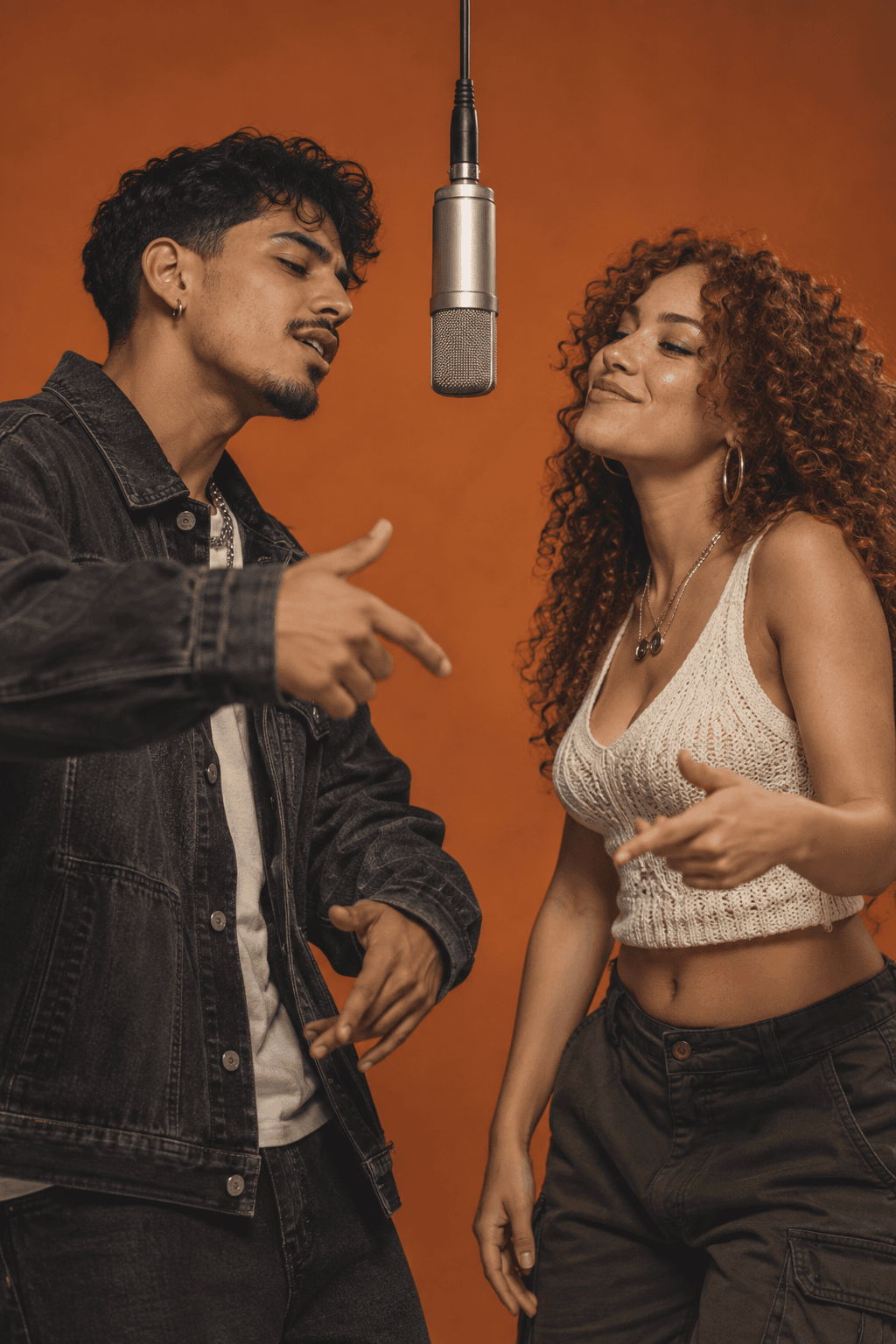
RapDuo's Raindance AI generator brings your duo to a wooden pier at sunset for a relaxed musical performance. Upload two portraits or one photo together. The prepared scene turns your references into a short video with original generated vocals and music.
Updated
A duo on the golden-hour pier
The Raindance AI trend is associated with Dave and Tems: warm light, water and two people sharing a quiet moment. RapDuo brings that atmosphere to your photos with a pier setting, a soft duet and gentle camera movement.
Make a couple's clip, a moment with a close friend or a duet with someone far away. Both people share the scene even when their photos were taken in different places.
Make a video of you and your partner singing on a sunset pier
Give your shared pier performance a purpose: an anniversary greeting, a long-distance hello or a playful duet for the group chat. In Personal details, identify the relationship and one memory or occasion so the short performance has a clear focus.
The public sample's shared shot lets you watch both performers at once. Review how they interact as well as their individual likenesses: a reaction, glance or gesture can make the clip feel like a duet. The generated wording may differ from your details.
- For a couple's anniversary, choose one moment you both recognize instead of a full relationship history.
- For a long-distance hello, choose one thing you miss doing together.
- For friends, pick a shared joke or milestone that the intended viewer will recognize.
Choose clear photos of both people
Upload a clear JPG, PNG or WebP up to 10 MB. Use the original photo with good light and a visible face.
Choose separate portraits when the people are in different photos, one face is much smaller, or someone is partly hidden in your shared photo. Choose one photo together when both faces are clear and the two people have distinct outlines.
- Add one portrait per person, or switch to a shared photo with both faces clearly visible.
- Keep both faces and upper bodies unobstructed. Choose similar face sizes and camera angles.
- For a photo together, choose two distinct faces with space between them. Crop out extra people and avoid overlapping heads.
- Use photos you have permission to upload.
Make your Raindance video
Choose 5, 8, 10, 12 or 15 seconds and a 9:16, 1:1 or 16:9 frame. Standard, Fast and Pro currently offer 720p; Ultra offers 480p or 720p. The generator shows the credit cost for your settings before you confirm.
Add your two performers
Upload the references in the creator above and check both previews. The Raindance scene is already selected on this page.
Choose the screen and length
Pick your format, duration, model and available quality. A vertical frame suits Reels and Shorts; a wider frame leaves more space around the pair and the pier.
Review and generate
Sign in, check the credit quote and confirm the generation. Follow its progress in your account, then download the completed MP4.
Start with the settings used for the sample
The sample above was made with the reference photo shown on this page and the same Raindance preset as the creator. These settings give you a concrete starting point for your own pair.
Choose 9:16 for a vertical post, 1:1 for a square composition or 16:9 when you want more space around the pier. Set the final shape before generating so that a later crop does not cut one performer out.
| Setting | Sample and page default |
|---|---|
| Model | Standard / Seedance 2.0 Mini |
| Quality | 720p |
| Length | 8 seconds |
| Frame | 9:16 vertical |
| Generation cost | 7 credits; review the quote before confirming |
Listen to your own performance
Your soundtrack is created with the video. You can enjoy the original vocals and music without recording yourself or uploading a backing track. The released Raindance song is not included.
Watch both people through the whole clip. Check faces during turns, hands near the mouth and the space between them. Facial details, words and movement can vary. Download the completed MP4 from your account and play it with sound before sharing it.
You can follow an existing render in your account while it processes. Time depends on the model and provider queue. Check that job's status before starting another render; the generation help page below explains failed or stalled jobs.
- If faces blend into each other, try separate portraits with clear edges around each head.
- If one person is hard to recognize, replace that reference with a sharper, evenly lit original photo.
- If a hand blocks the mouth, choose a photo with hands away from the face. Each new render is a separate paid generation.
Calculate your video cost
- credits
- 7
- Pack purchase
- $9.99
- Complete videos
- 1
- Credits left
- 3
- Allocated cost per video
- $6.99
Estimates use current studio settings and USD pack prices. Existing credits may cover your video. Taxes, if any, appear at checkout. Packs never expire; subscription credits follow their billing period.
Questions before you create
What is Raindance AI on RapDuo?
It is a photo-to-video preset for two people on a golden-hour wooden pier, with a new musical performance and original generated audio. The scene is prepared automatically.
Can I use one photo of us together?
Yes. Choose the shared-photo option when both people are clearly visible. Otherwise, upload one separate portrait per person.
Can I make a Raindance video with one selfie?
This Raindance preset is a duet. Use two individual portraits or one photo showing both people. For a performance starring just one person, choose Bécane.
Do I need to find a template or write scene instructions?
The Raindance scene is already selected on this page. Upload your photo references, choose your video settings and review the credit cost. Personal details are optional.
Does it include the Dave and Tems song?
No. RapDuo generates new vocals and music. It does not provide the original recording, an artist voice clone or exact lip-sync to the released song.
Will our positions match the original video?
Your references guide a new scene. Positions, movement and camera framing can vary; this preset does not reproduce the original video frame for frame.
Can I make it on my phone?
Yes. Upload photos, choose settings and download the finished MP4 from a mobile browser. You do not need a separate app.
Is a personalized Raindance video free?
Public samples are free to watch. An 8-second Standard video at 720p costs 7 credits. Other settings change the price; generation with your own photos requires paid credits and a confirmed quote.
How long is the clip, and how long does generation take?
Choose a 5, 8, 10, 12 or 15-second video. This page starts at 8 seconds. Processing time depends on the model and its queue; follow the existing job in your account while it runs.