RapDuo creates a new duo performance with generated rap vocals, a beat and movement inspired by the Hotel Lobby format. Your photos supply the subjects; the chosen effect supplies the performance style. The result is an original video, rather than a face replacement on Quavo and Takeoff's source clip. You can personalize the occasion without writing a scene script.
Updated
The orange studio look, with your own duo
Hotel Lobby AI, Migos AI and Hotel Lobby AI filter are common names for the photo-to-rap trend associated with Quavo and Takeoff's A COLORS SHOW performance. The recognizable look is a minimal orange room, a suspended microphone and two performers sharing the spotlight.
On RapDuo, the studio is generated around your references. The performance includes alternating delivery, expressive gestures and new hip-hop audio. Photos taken in different places can become one scene, so long-distance friends do not have to film together. It is a browser workflow, with no separate app or downloadable scene template.
The name describes a visual format. RapDuo is independent of the artists and COLORS. The original song, original choreography and an artist's voice are not supplied. Results may change clothing, facial detail, positions and individual movements.
Choose the kind of performance you want
A stage changes the visual setting; an effect changes how the pair performs. Pick a mood first, then adjust the duration and shape. These choices describe the result you are asking for, rather than a fixed sequence of identical shots.
Orange studio duet
A shared orange set, recognizable faces, alternating rap delivery and relaxed performance energy. A natural starting point for friends, siblings or a reunion.
Use this ideaFriendly face-off
Two performers answer each other with playful competitive energy. Useful for a harmless rivalry or an affectionate roast, with original audio and both subjects in the scene.
Use this ideaCouple performance
A warmer duet centered on the connection between two people, with softer interaction and a polished lobby atmosphere. Suits an anniversary or a shared memory.
Use this ideaMilestone celebration
An upbeat shared performance for a graduation, achievement or reunion worth celebrating. The focus is a positive moment, rather than one performer defeating the other.
Use this ideaMake an orange-studio rap video with a friend
Your references can be ordinary selfies or photos from a day out. They do not need an orange background or a microphone: choose Classic duet and Hotel Lobby to ask for that shared studio performance. Start with the photos in which your friends would most easily recognize both of you.
| The photos you have | Input to choose | What to check |
|---|---|---|
| A selfie of each friend, taken separately | Two photos | Each reference shows one intended performer |
| One photo of the two of you | One photo | Both faces remain visible in the selected crop |
| Only your own portrait | Add a co-star before making this duet | This rap workflow needs two subjects, even when you upload one file |
Give the generator two clear references
Upload JPG, PNG or WebP, up to 10 MB per file. Each image must be 300 to 6000 pixels on both sides, with a width-to-height ratio from 0.4 to 2.5. Choose two separate references or one photo containing both subjects. Larger file size does not repair blur.
Separate portraits are useful when one group photo leaves a face small or hidden. Choose similar face sizes and broadly compatible camera angles. A clear recent reference is more useful than an old thumbnail enlarged to meet the size limit.
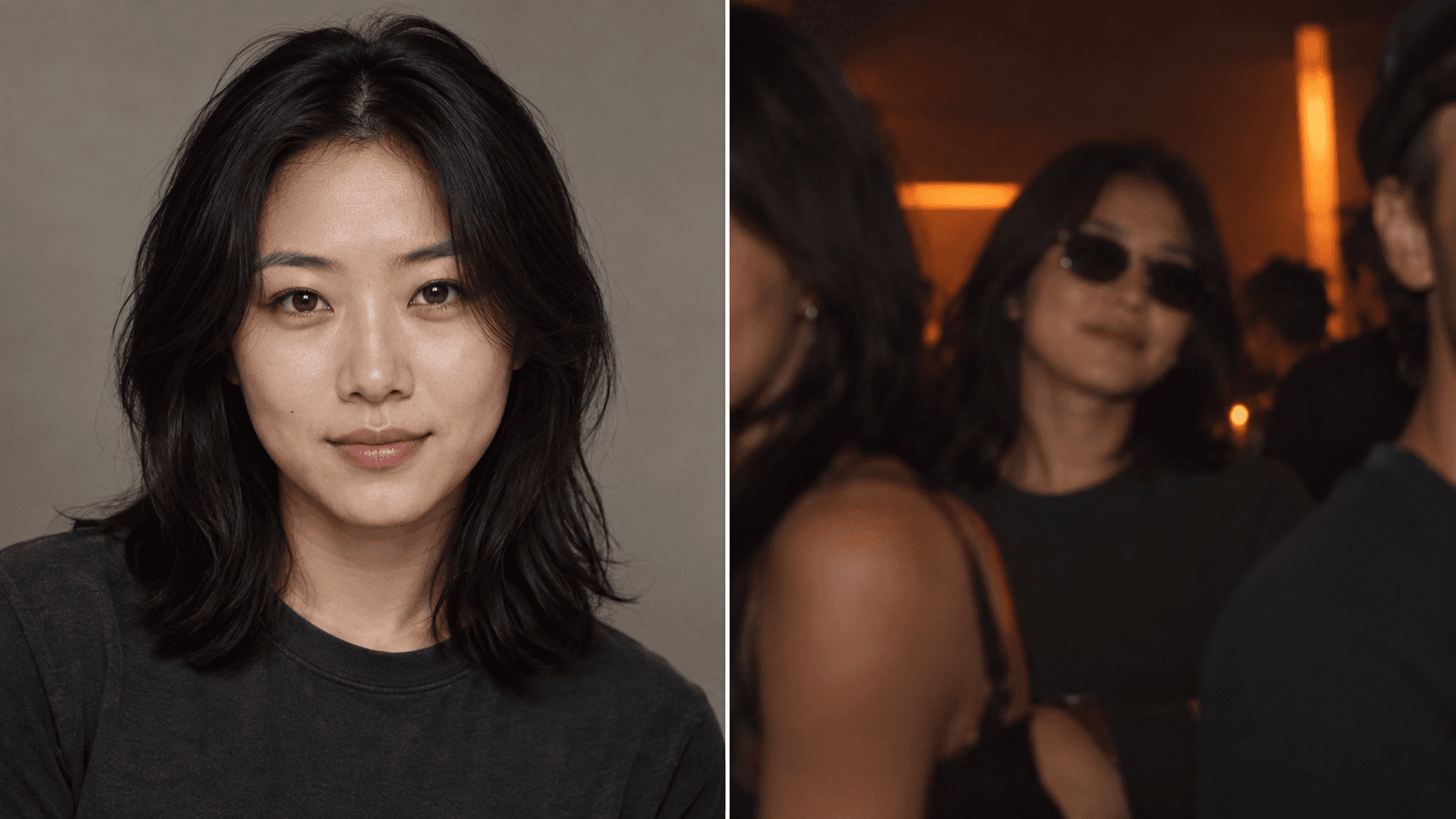
- Keep eyes, mouth and the outline of the face visible. Avoid sunglasses, heavy beauty filters, blocked cheeks and strong backlighting.
- For a shared photo, keep both people clearly separated and remove extra faces. Overlapping heads make the intended pair less obvious.
- Use a head-and-shoulders or comfortable upper-body view. Clothing in a reference can inform the result, but is not a wardrobe lock.
- Inspect the crops before confirming. Swapping the inputs changes their order, but does not guarantee fixed left and right positions in every frame.
Make and review your Hotel Lobby video
Add your duo
Choose separate portraits or a shared photo containing the two subjects. Review the visible references and confirm permission to use them.
Choose the effect and stage
Start with the orange duet, or select a battle, couple or celebration performance. The scene direction is already prepared; optional names and one personal detail make the occasion specific.
Set the final screen and budget
Choose model, available resolution, duration and aspect ratio. Use the calculator and the generator's current quote before committing credits.
Confirm the paid generation
Sign in, review the settings and available balance, then generate. Generation progress is available in your account; processing time depends on the provider and queue.
Watch both people with sound
Check identity, mouth movement, gestures and the words across the full clip. Download the completed MP4 when it is ready, then review its crop and audio on the device where it will be shared.
Match the setting to the occasion
Standard, Fast and Pro currently generate at 720p. Ultra offers 480p or 720p. Available durations are 5, 8, 10, 12 and 15 seconds; formats are 9:16, 1:1 and 16:9. 1080p is not available for live generation.
9:16 suits phone stories, Reels and Shorts; 1:1 suits a square post; 16:9 gives a wider scene for a presentation or TV. Choose before rendering, because a later crop can remove a performer. Model names identify tiers, not a promise of faster delivery or perfect likeness.
| Stage | Visual atmosphere | Useful occasion |
|---|---|---|
| Hotel Lobby | Minimal orange studio and a suspended microphone | The familiar trend look or a reunion |
| Luxury Lobby | Warm cinematic light and gold accents | A couple greeting or a dressed-up celebration |
| Studio Booth | Blue and cyan light, acoustic panels and studio equipment | A closer recording-session atmosphere |
| Street Cypher | Urban light and a graffiti backdrop | A friendly battle or an energetic duo |
A short complete performance, with original sound
Five seconds is a compact introduction; 8 or 10 seconds gives a brief exchange; 12 or 15 seconds leaves more room for both subjects and the occasion. Extra time costs more and adds more frames to inspect. The generator does not offer a full-length track or an exact number of bars.
The video includes newly generated vocals and a beat. You do not need to record yourself rapping, upload a backing track or choreograph a dance. Source-video motion control, uploaded music, voice cloning and a built-in editing timeline are not part of this workflow.
Personal details are optional and limited to 240 characters. The generator follows the selected site language by default. Details in another language can guide a different vocal language. Listen for changed wording and pronunciation: generated lyrics are not an exact transcript, approved script or guaranteed translation.
Use the public demos to understand the format
The gallery has four existing performances: friends, a couple, family and birthday. Watch them with sound to judge the format, movement and audio. They are public examples, not personalized previews or evidence that every pair will look the same.
Our detailed friends case links the actual reference image and finished asset, and explains where the generated words differed from the recorded request. Use that case to understand what the available evidence proves before choosing your own settings.
Know the price before the first render
Standard at 720p for 12 seconds costs 10 credits. The Single pack is $9.99 for 10 credits, enough for this setting. Prices are in USD before applicable taxes; the current quote controls the cost of other settings.
Personalized video generation requires paid credits, and there is no personalized preview before generation. Public demos are free to watch before purchase. Technical failures, timeouts and safety-blocked renders return prepaid credits automatically. A completed video with a creative result you dislike is not a failed render.
A one-time pack does not renew and pack credits do not expire. Optional subscriptions renew and their credits expire by billing period. Other settings can require more than the Single pack contains. A new creative attempt uses a new generation's credits.
Use photos you are permitted to upload and get permission from the people pictured; minors require parent or guardian consent. Live generation sends images to a processing provider. Drafts save settings and personal details without saving uploaded photos. The published Privacy Policy explains photo and video processing, retention and deletion requests.
Use the completed clip as a personal greeting or a post you have permission to share. Original generated audio does not promise approval by every platform or unrestricted commercial rights. Review the Terms and the requirements of your intended use.
Calculate your video cost
- credits
- 10
- Pack purchase
- $9.99
- Complete videos
- 1
- Credits left
- 0
- Allocated cost per video
- $9.99
Estimates use current studio settings and USD pack prices. Existing credits may cover your video. Taxes, if any, appear at checkout. Packs never expire; subscription credits follow their billing period.
Questions before you create
Is Hotel Lobby AI a live camera filter?
This page creates a video from uploaded photos. It does not add a live effect to your camera feed. The Hotel Lobby stage supplies the orange studio look.
Is this a face swap of the original performance?
No. RapDuo generates a new scene and performance from the references, with new audio. It does not preserve the original clip's exact choreography, soundtrack or frame-by-frame placement.
Can the photos come from different cities?
Yes. Use one clear authorized portrait per subject, or a shared photo with both people visible. The subjects do not need to have been photographed together.
Do I need to write a generation prompt?
No scene script is needed. Choose a performance and stage, then optionally add names, the occasion or a personal detail. Those details guide the rap without controlling every word.
Can I generate a free personal preview?
Public demos are free to watch. A video made with your own references requires paid credits, and there is no personalized preview before generation.
Can I choose the real Hotel Lobby song or a rapper's voice?
No. The output uses original generated vocals and a beat. Existing songs, artist imitation, uploaded audio and voice cloning are not offered.
Can I use pets or make a birthday version?
Yes. Choose the pet performance for an animal duo, or the birthday performance for a greeting. Each has its own guidance; animal appearance and exact birthday wording can vary.
Does selecting a higher tier guarantee better faces?
No tier guarantees identity, perfect lip sync or a creative result you prefer. Check the current model and quality quote, use clear references, and inspect the completed clip.
What if I dislike a completed video?
Creative disappointment is different from a technical failure. A completed result with changed words, gestures or likeness is not automatically refunded. Technical failures follow the credit-return policy.